Importing a rent roll fills a deal's rental income and occupancy in one step instead of typing the rent table by hand. Like every Mogul Deal Evaluator import, it's review-first: nothing touches your underwriting until you approve it.
What a rent roll writes, though, depends on the asset. Multifamily fills a unit-level rent table and offers a merge choice. Self-storage and mobile home parks write their native inventory — the Unit Mix and Pad & Home Income respectively — which is replaced as a whole, only after you confirm it explicitly. The two paths are covered separately below; read the one for your asset.
Prepare the file
Same formats as the T12: CSV, XLS, XLSX, PDF, ODS, NUMBERS up to 10 MB, or a Google Sheets link.
One unit or pad per row — including the vacant ones. Occupancy is read from the file, so leaving empty units out makes the count and the occupancy wrong.
Helpful columns when you have them: unit number, current rent, market rent, status, beds/baths, square footage, and lease dates.
A one-line "total rent" summary isn't a rent roll — the importer needs per-row detail. On multifamily, the T12's aggregate rental-income option is the fallback; on storage and parks there is no aggregate fallback, because a single total cannot describe an inventory.
Import, step by step
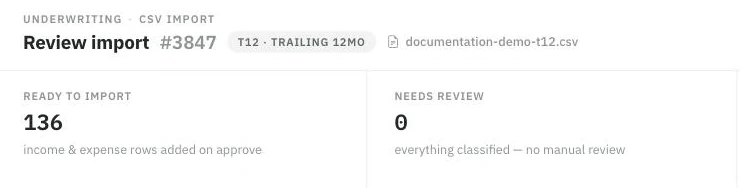
Nothing is written until you approve. The verdict strip is the first thing to read: what will import, and what still needs you.
In the deal, open Import financial document and upload the file. Document import is a higher-tier plan capability.
The type is detected automatically ("Detected as Rent Roll"), with a manual override always available.
The review screen lists every detected unit with its rent, status, and details. Open any row's Edit unit details to correct it — unit number, status (Occupied / Vacant / Notice / Leased), rents, and lease dates — or exclude rows that aren't really units.
Multifamily only: if the deal already has rent-roll rows, choose the merge behavior — Replace existing rows (recommended for a newer version of the same roll) or Add without replacing (only for units genuinely not on the deal yet — otherwise it double-counts income). Manually entered rows are preserved either way. Storage and park imports have no merge choice; see below.
Click Approve & import.
What lands where (multifamily)
Approved rows fill the deal's rent table — unit-level current rent, market rent, status, and unit details where available — plus the occupancy inputs. That's the income half of the recommended workflow: rent roll first, then the T12 for other income and expenses. The importer also flags things worth a landlord's eye — occupied units at $0 rent, missing market rents, rents far above market, duplicate units — before you approve.
Self-storage and mobile home parks: replacing native inventory
On these assets a rent roll does not merge into a list of rows — it rebuilds the inventory the whole underwrite is computed from. The review screen therefore ends with a plain statement of what is about to happen and a checkbox you must tick: "I reviewed the selected inventory and agree to replace [Unit Mix / Pad & Home Income] for this scenario." Approve is locked until you do.
Approval replaces that destination including its count. It leaves alone:
Other income, operating expenses, financing and closing.
Every other scenario on the deal.
On a park, your leasing and infill plan, park capital budgets, and diligence notes — the import changes inventory and rates, not your business plan.
The source rows and the applied plan stay in the import audit, so you can see afterwards exactly which file produced the current inventory.
What a park rent roll must contain
One row per developed pad, and each row must answer three questions:
Who owns the home — TOH (tenant-owned) or POH (park-owned). The importer also reads "tenant-owned", "resident-owned", "park-owned" and "community-owned". A row it cannot classify is flagged, not guessed.
Occupied or vacant — stated explicitly. Rent alone never establishes occupancy, and a row marked vacant may not carry a positive current rent.
The rent, split — on an occupied row the lot portion plus the home-only portion must equal its monthly current rent, excluding utilities and mandatory fees.
Undeveloped land and separate houses are not developed pads; leave them off the sheet. Expand View proposed pad and home income on the review screen to check the rows before approving.
Park inventory is stored as groups with an average rate, not as individual pads — so each rate is written as the weighted average of that group's rows, preserving the collected income exactly. If a group's vacant pads are priced on a different basis than its occupied pads, one rate cannot preserve both the collected rent and the potential rent, and approval is blocked rather than quietly changing one of them. Reconcile the asking rates in the source file, or enter the inventory by hand.
Storage rolls follow the same shape with storage's own rules: one row per unit, an explicit occupied / vacant / offline status, current rent kept separate from street rent, an asking rate required on vacant units, and non-storage space — offices, retail, a house on the parcel — excluded and reviewed separately. See Self Storage & the Unit Mix.
If something fails
"This doesn't look like a Rent Roll" — no recognizable per-unit columns were found. If it's actually a T12, import it as one.
File can't be read — re-export as .xlsx or .csv; password-protected files can't be opened.
Units doubled after import — on multifamily, an updated roll was imported with "Add without replacing." Re-import it with Replace existing rows.
"Identify TOH or POH" — a park row's ownership column is missing or unrecognized. Label it and re-upload.
"Monthly current rent must equal the lot portion plus the home-only portion" — the split doesn't reconcile on that row, or utilities and fees were folded into the rent.
"The vacant and occupied … bases differ" — see the note above; the group's asking rate and in-place rate can't both be preserved by one average.