TroubleshootingUpdated Sep 3, 2026Users whose import did not go smoothly
The importer is review-first by design: when something's off, it tells you before anything touches your underwriting. This guide maps the common trouble states to their fixes. (For the happy-path walkthroughs, see Import a T12 and Import a Rent Roll.)
The file won't upload or won't read
Format: the importer accepts CSV, XLS, XLSX, PDF, ODS, and NUMBERS, up to 10 MB — or a Google Sheets link shared with "Anyone with the link." Anything else needs re-exporting first.
Unreadable file: password-protected or corrupted files can't be opened — re-export as .xlsx or .csv. For scans, a clean spreadsheet export from the seller always beats a PDF of a printout.
Google Sheets errors: almost always link permissions — the sheet must be shared with "Anyone with the link," not restricted to your organization.
"This doesn't look like a T12 / Rent Roll"
Detection looks for each type's skeleton — a column per month for a T12, one row per unit for a rent roll. If your file is the other type, re-import it as that type (there's always a manual override). If it's genuinely neither — a summary sheet, a broker one-pager — the importer can't responsibly read it; enter those numbers by hand.
Rows flagged on the review screen
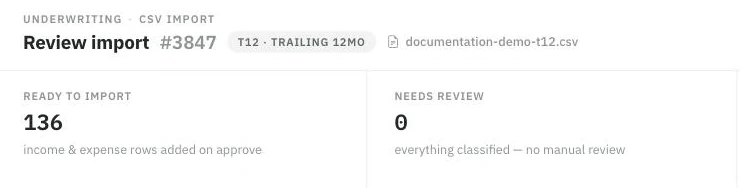
Nothing is written until you approve. The verdict strip is the first thing to read: what will import, and what still needs you.
Needs review — the mapping is a low-confidence guess. Open the row, check the proposed category, and correct it with Import as. Each row's chip tells you where its answer came from (matched automatically, remembered from your history, AI-reviewed, or edited by you) — spend your attention on the low-confidence ones.
Not imported — deliberately excluded: debt service, depreciation and other non-operating items, and vacancy/concessions (which are underwriting rates you set, not lines you import). If an excluded row carries real dollars, the review makes you acknowledge it before Approve unlocks — that's a feature, not a stall.
Section headers — structure, not data; nothing to fix.
"Totals don't reconcile"
The importer sums what it read and compares against the file's own totals; a meaningful gap blocks approval. Usual culprits: a mis-read row (fix its value or category), merged/annotated cells the parser tripped on, or hidden rows that matter. Edit the rows, revalidate, and approve once the numbers agree — never approve around a reconciliation failure.
After approving: numbers look wrong
Rental income doubled? On multifamily, an updated rent roll was imported with Add without replacing. Re-import with Replace existing rows — the recommended choice for a newer version of the same document.
A storage or park T12 didn't change rental income? That is intended: T12 rental totals are reference-only on those assets. Rental income comes from the Unit Mix or Pad & Home Income — import a rent roll or edit the inventory.
Something landed in the wrong category? The audit trail keeps every decision; fix the value in the workspace, and correct the mapping on your next import — the importer remembers your corrections.
An amount seems missing? Check the review's Not-imported tab — it's probably an intentionally excluded line (see above), still visible for reference.
Storage and park rent rolls: their own blockers
A rent roll on a self-storage or mobile home park deal rebuilds the asset's native inventory, so its checks are stricter — and they block approval rather than importing something plausible.
"Confirm occupied or vacant status" — the row's status column is missing or unreadable. Rent alone never establishes occupancy on these assets.
"A vacant/offline row has positive current rent" — the status and the rent contradict each other. Fix whichever is wrong in the source.
"Identify TOH (tenant-owned) or POH (park-owned)" — a park row has no recognizable ownership value. Label the column and re-upload.
"Monthly current rent must equal the lot portion plus the home-only portion" — a park row's split doesn't reconcile, usually because utilities or mandatory fees were folded into the rent.
"The vacant and occupied … bases differ" — a park group's asking rate and in-place rate can't both survive a single group average. Reconcile them in the file, or enter the inventory by hand in Edit inventory & rents.
"Provide its vacant-unit asking rate" — storage only: a vacant unit needs an asking rate so potential rent and vacancy can be computed separately.
"Non-storage inventory must be excluded" — storage only: an office, a house or a retail bay on the same sheet. Exclude those rows and review them separately.
One more difference worth knowing when the numbers look wrong afterwards: these imports have no merge choice. Approval replaces the whole destination — Unit Mix or Pad & Home Income — after you tick the confirmation, so a doubled-income problem is a multifamily symptom, not one you can hit here.
Stuck states
Processing for a long time — large or messy files take longer; the review opens when it's done. If an import truly stalls, discard it and re-upload.
Awaiting review — a file the system wasn't confident about may be routed for a closer look rather than guessed at. You'll see the status; no wrong numbers land silently.
The import option is locked — document import is a plan capability; the lock names it. On team deals, the deal owner's plan governs.